The short answer
You can't cash out CS2 skins on the Steam Market: it pays only in Steam Wallet funds, which can't be withdrawn. To get real money, sell your skins to a site that buys them. On SkinCashier you sign in with Steam, pick your skins, accept one trade offer and withdraw to PayPal or crypto. For CS2 skins, the money is released after Steam's 7-day trade protection ends.
SkinCashier buys your skins itself, so you don't list them or wait for another player to buy. Below you'll find every step with screenshots, when you get your money and how to avoid scams along the way.
Before you start
Get these four things ready before you sign in, so the trade can go through the first time.
- Steam Guard Mobile Authenticator. You confirm the trade in the Steam Mobile app, so the authenticator has to be on. Selling Rust, TF2 or Dota 2 items too? Turn it on at least 7 days before you sell. Otherwise Steam holds the trade for up to 15 days, and we can't accept a trade that would be held. Here's how to set up Steam Guard.
- A public inventory. Set your Steam profile and inventory to public so we can see your items.
- Your Steam Trade URL. Our bot sends the trade offer to it. It's at the bottom of Steam's "Who can send me Trade Offers?" page. See where to find your Trade URL.
- An email address you check. We send your payout confirmations there.
Skins you received in a trade in the last 7 days can't be traded again until those 7 days are over.
We may also ask you to verify your identity to prevent fraud and money laundering, as section 3.2 of our Terms explains.
How to sell CS2 skins on SkinCashier, step by step
1. Sign in with Steam
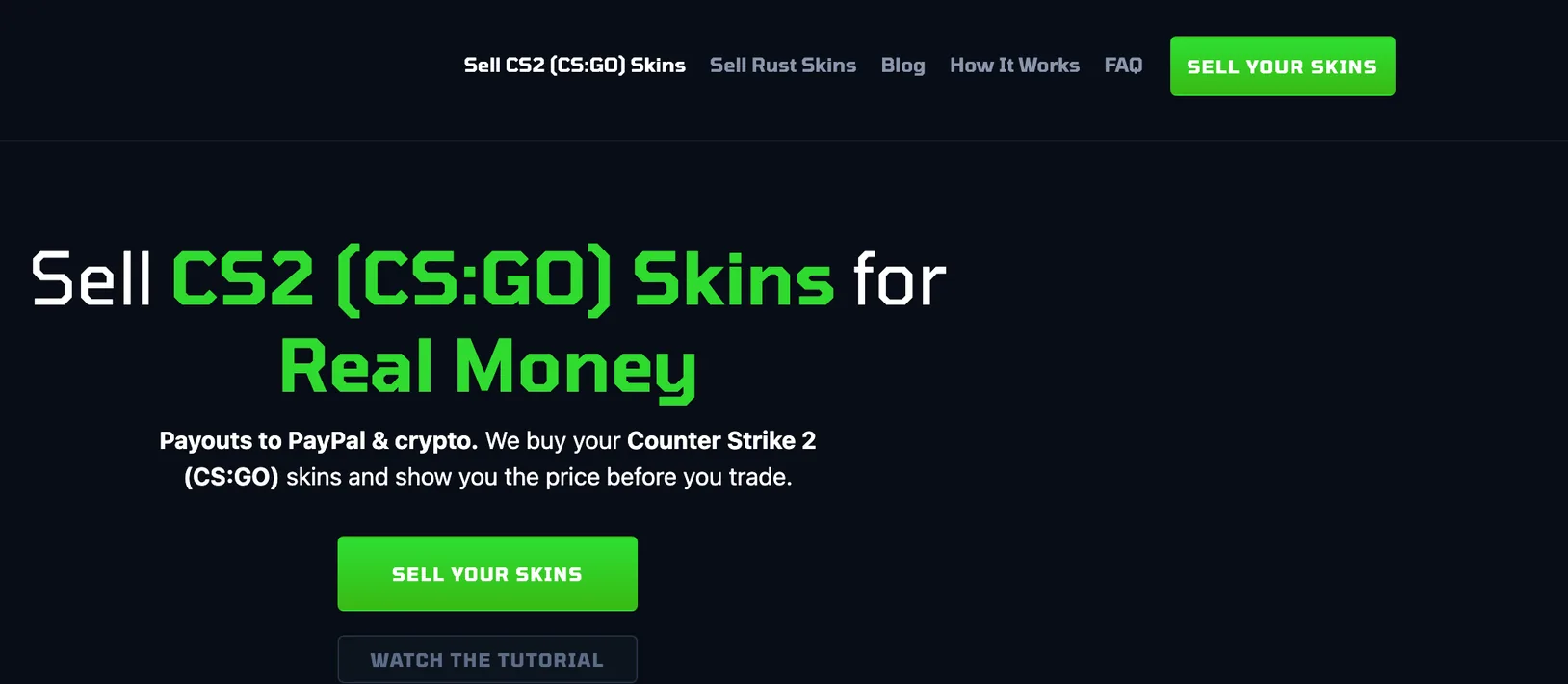
Click "Sell your skins" and sign in with the Steam account that holds your skins. You log in on Steam's own page, so SkinCashier never sees your password.
Before you type anything, check that the address bar shows steamcommunity.com.
2. Add your Trade URL and email
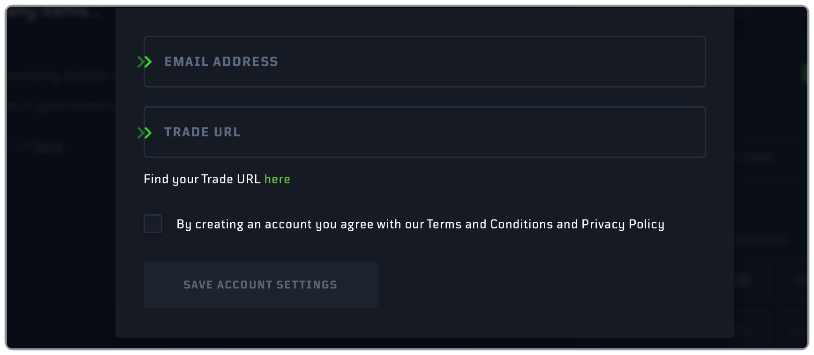
Paste your Steam Trade URL and your email address into your SkinCashier account and save. Our bot sends the trade offer to your Trade URL, and we use your email for payout confirmations.
If your items don't show up, check that your Steam inventory is public and that you copied the whole Trade URL, including the part after "&token=".
3. Pick the skins you want to sell
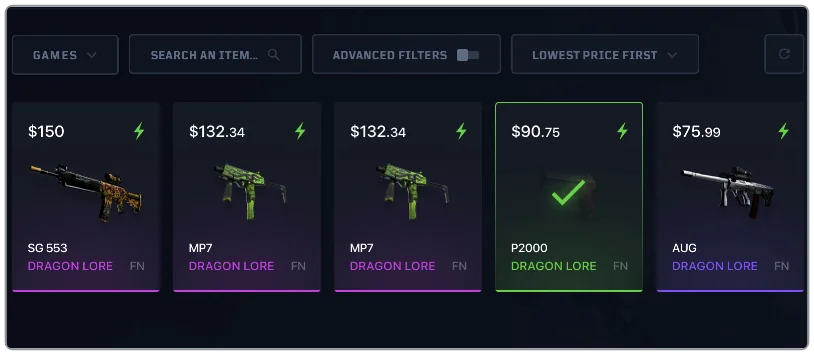
Your inventory shows a price on every item we can buy. Items we can't buy are grayed out: very cheap items, items with an unstable price, new items and items we already hold too many of. Click the skins you want to sell.
Own two copies of the same skin, for example one with stickers? Make sure you click the one you mean.
4. Choose how you want to be paid
Pick PayPal, Bitcoin, Ethereum or Litecoin and enter your PayPal email or wallet address. The fee and the amount you'll receive are shown before you confirm. You can also keep the money on your SkinCashier balance and withdraw it later.
PayPal payouts are sent in USD to your PayPal email. More on each option: sell CS2 skins for PayPal and sell CS2 skins for crypto.
5. Accept the trade offer in the Steam Mobile app
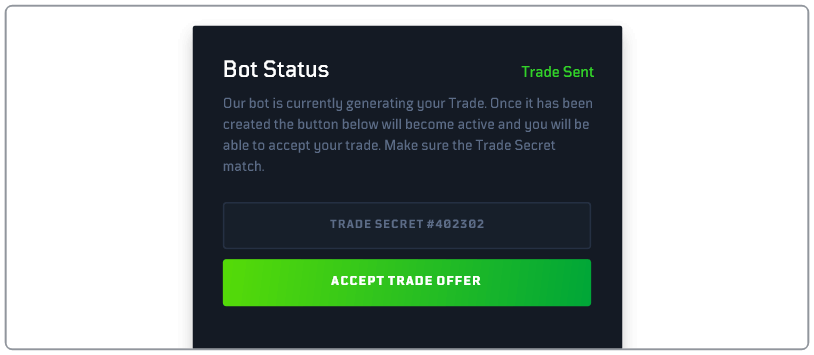
Our bot sends you a trade offer. Check that it contains only the skins you chose, then accept it and confirm it in the Steam Mobile app.
CS2 skins and items from other games go in separate trades, so you may get one offer for each.
6. Get paid
Once the trade is complete, the money goes to the payout method you chose or to your SkinCashier balance. For CS2 skins, it's released when Steam's 7-day trade protection ends. You get an email confirmation and can follow every payout on your Transactions page.
When you get your money
Two things decide when the money reaches you: the game your items come from and your payout method.
CS2 skins: after Steam's 7-day trade protection
Since 2025, Steam lets the sender reverse a CS2 trade for 7 days after it's made. That's why we release the money for CS2 items when those 7 days are over. It's a Steam rule that covers every CS2 trade, on any site. Read more about Steam's trade protection.
Rust, TF2 and Dota 2 items: right after the trade
These items aren't covered by trade protection, so we pay for them right after the trade. They go in a separate trade from your CS2 skins. Make sure your Steam Guard Mobile Authenticator has been on for at least 7 days first, or Steam will hold the trade and we can't accept it. We buy Rust skins, TF2 items and Dota 2 items the same way as CS2 skins.
Your payout method
After that, how long the payout takes depends on the method: PayPal, or the Bitcoin, Ethereum or Litecoin network. If a payout fails, the money goes back to your SkinCashier balance, so you can withdraw it again. You get an email confirmation, and every payout is listed on your Transactions page.
How to stay safe when you sell skins
Skin scams usually go after your Steam login or your trade offers. These habits protect both, on any site.
- Sign in only through Steam's own login page, at steamcommunity.com. Phishing sites copy it to steal accounts, so check the address bar before you enter your password or a Steam Guard code.
- Check the trade offer in the Steam Mobile app before you confirm. It should list only the skins you chose.
- Never share your Steam Web API key, your password or Steam Guard codes. Anyone with your API key can watch your trade offers and swap them for fake ones. Here's how the Steam API scam works.
- Ignore "support" that messages you first on Steam or Discord. If you need help with a sale, use the live chat on our site.
More warning signs are in our guide to avoiding CS2 scams. SkinCashier is run by Global Ecommerce Soultions sp. z o.o., a company registered in Warsaw, Poland (KRS 0000752744), and has been buying skins since 2019. Company details and reviews are on Is SkinCashier legit?.
Where else to sell CS2 skins for real money
The Steam Community Market is the easiest place to sell, but it pays only Steam Wallet funds that can't be withdrawn, and Steam adds about 15% in fees on top of your price. On a P2P marketplace you set your own price and wait for another player to buy, which can get you more than an instant sale if you're in no hurry. Trading directly with strangers costs nothing in fees but carries the most risk. Our guide compares every way to sell CS2 skins for real money, and the table below sums up the main three.